
The writing environment
Focus mode, typewriter scrolling, page themes, vim keys, interface size — the room you write in, adjustable to the hour.
Quiet the room
- View → Focus Mode dims everything but the paragraph or sentence under your caret. Ctrl+Shift+O cycles Off → paragraph → sentence → off.
- View → Typewriter Scrolling (Ctrl+Shift+T) keeps your line centered on the screen, so the page never runs away below your hands.
The page itself
View → Page offers three rooms: Night, Paper, and Light — night for the small hours, paper for long afternoons. Brighter Interface lifts the chrome around the page; Interface Size → Larger / Smaller / Reset scales the whole interface, menus included.
The keyboard
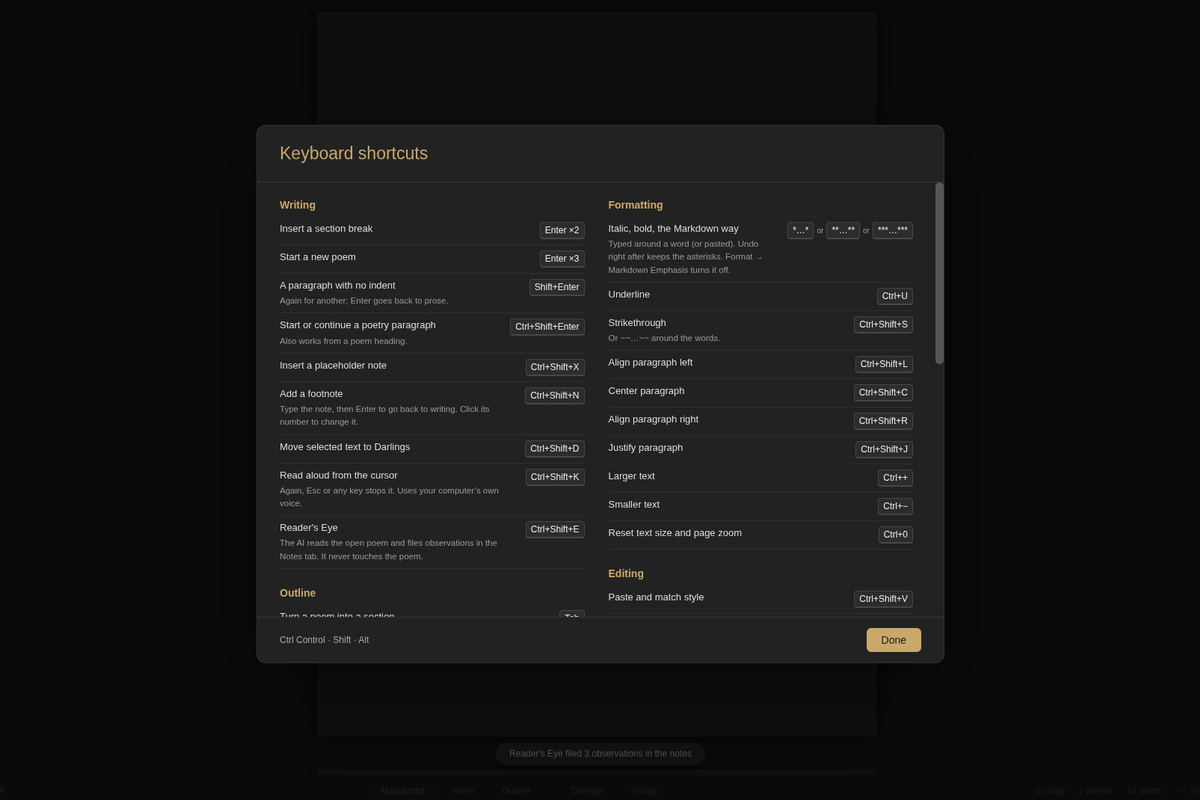
- View → Keyboard Shortcuts… (Ctrl+/) opens the full reference — menu chords and the writing gestures that have no menu entry.
- View → Vim Keys: Esc to move, i to write.
- Format → Markdown Emphasis decides whether
*asterisks*become italics as you type; turn it off and they stay exactly what you typed.
One switch to remember
Many of these live behind File → Show More Features. If a menu entry mentioned in these guides is missing, that switch is the first thing to check.
Start here: getting started.