
Backups & updates
Autosave, daily backups with retention you choose, snapshots that never expire, and how Rhema tells you it is current.
What is saved, always
Autosave is continuous and always on — there is no Save button because there is nothing to remember. Everything is plain files in your library folder.
Retention you choose
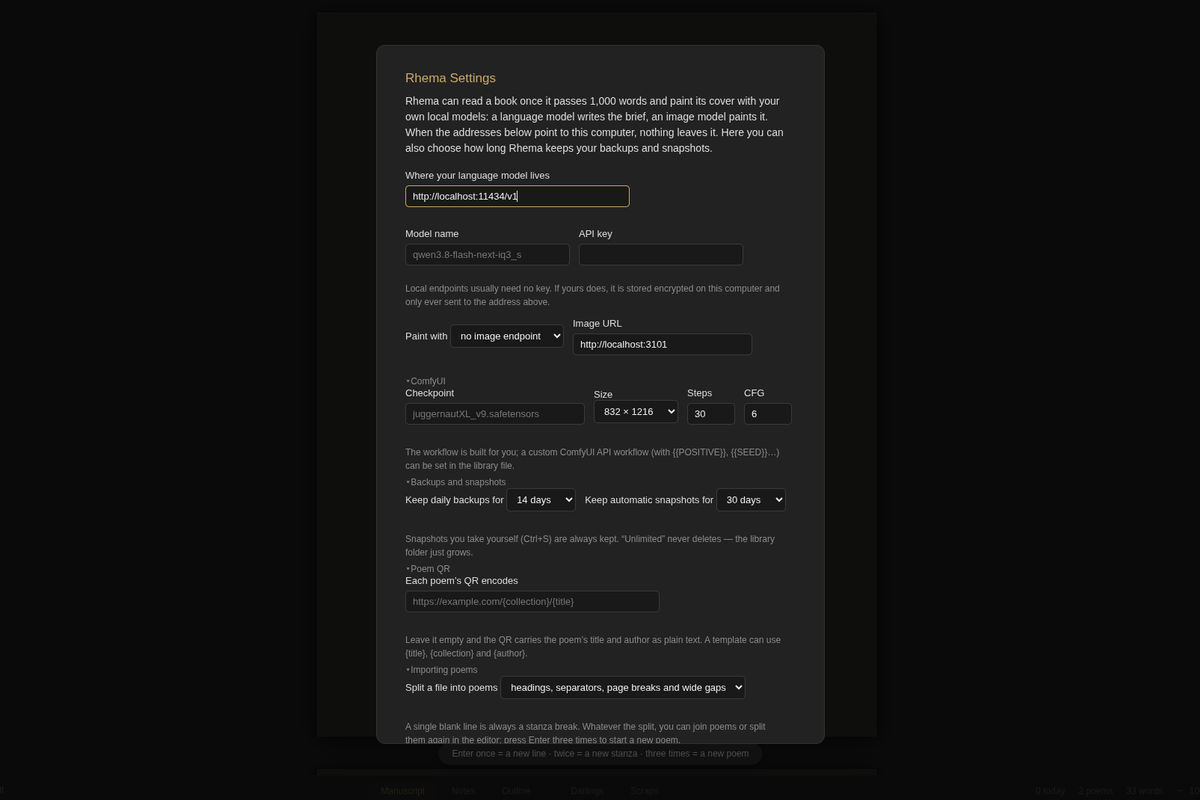
File → Rhema Settings… → Backups and snapshots:
- Keep daily backups for — a rolling window of daily zip backups, or Unlimited. Snapshots you take yourself (Ctrl+S) are always kept. “Unlimited” never deletes — the library folder just grows.
- Keep automatic snapshots for — how long Rhema’s own daily snapshots stay. Your manual snapshots are exempt: they never expire.
Deleted things have homes too: removed chapters and passages wait in Darlings, and Move to Trash sends a book’s folder to your system trash, where you can recover it.
Staying current
There is an opt-in: File → Rhema Settings… → Updates → “Keep Rhema up to date automatically” — off by default, your choice. When on, Rhema checks GitHub about once an hour and downloads a new version in the background, but never interrupts your writing: it installs when you quit, or when the Restart to update button appears. Switching it off stands the updater down immediately.
Help → Check for Update… asks GitHub’s releases for the newest version. If one exists: Rhema {version} is available and Restart to update when you are ready; otherwise you hear you already have it. Every version, including old ones, stays downloadable from the releases page — the site links there and never mirrors binaries.
Alpha honesty: Rhema is alpha software. Updates can break things; the safety nets above are why that is survivable.
Start here: getting started.